Putnam County
Comprehensive Services
Website Redesign
By Mabel Lawler
Duration: January - February 2023
UX UI Case Study
Product Overview
As a Web Design & Nonprofit Intern for Putnam County Comprehensive Services (PCCS) my objective was to help the nonprofit design an effective digital experience to support recruitment efforts, improve access to information, and better communicate its mission across the communities it serves in Indiana. The existing website lacked clear navigation, updated services or locations, and a careers page. This project focused on redesigning the website through a UX/UI lens by improving usability, simplifying the applicant journey, and creating a more accessible and engaging experience for both job seekers and community members. The goal was to help PCCS attract and convert qualified candidates while also strengthening the organization’s overall online presence.
—
—
Tools
Google Analytics
Adobe XD
Figma
Canva
Adobe Photoshop
Adobe InDesign
Objectives

Improve the website user experience and careers journey to increase engagement, accessibility, and conversion of prospective Direct Care applicants, helping PCCS recruit 30 additional employees across its 27-county service area.
—
—
UX UI Strategy
Implement Google Analytics and user behavior tracking to identify drop-off points, navigation issues, and high-performing content.
Redesign the website information architecture and navigation to make key information easier to find across desktop and mobile devices.
Create a user-friendly Careers page featuring clear job descriptions, benefits, FAQs, and a streamlined online application experience.
Refresh and standardize website content and visuals to improve credibility, trust, and consistency, including updating the “About Us” section and staff information.
Design Process
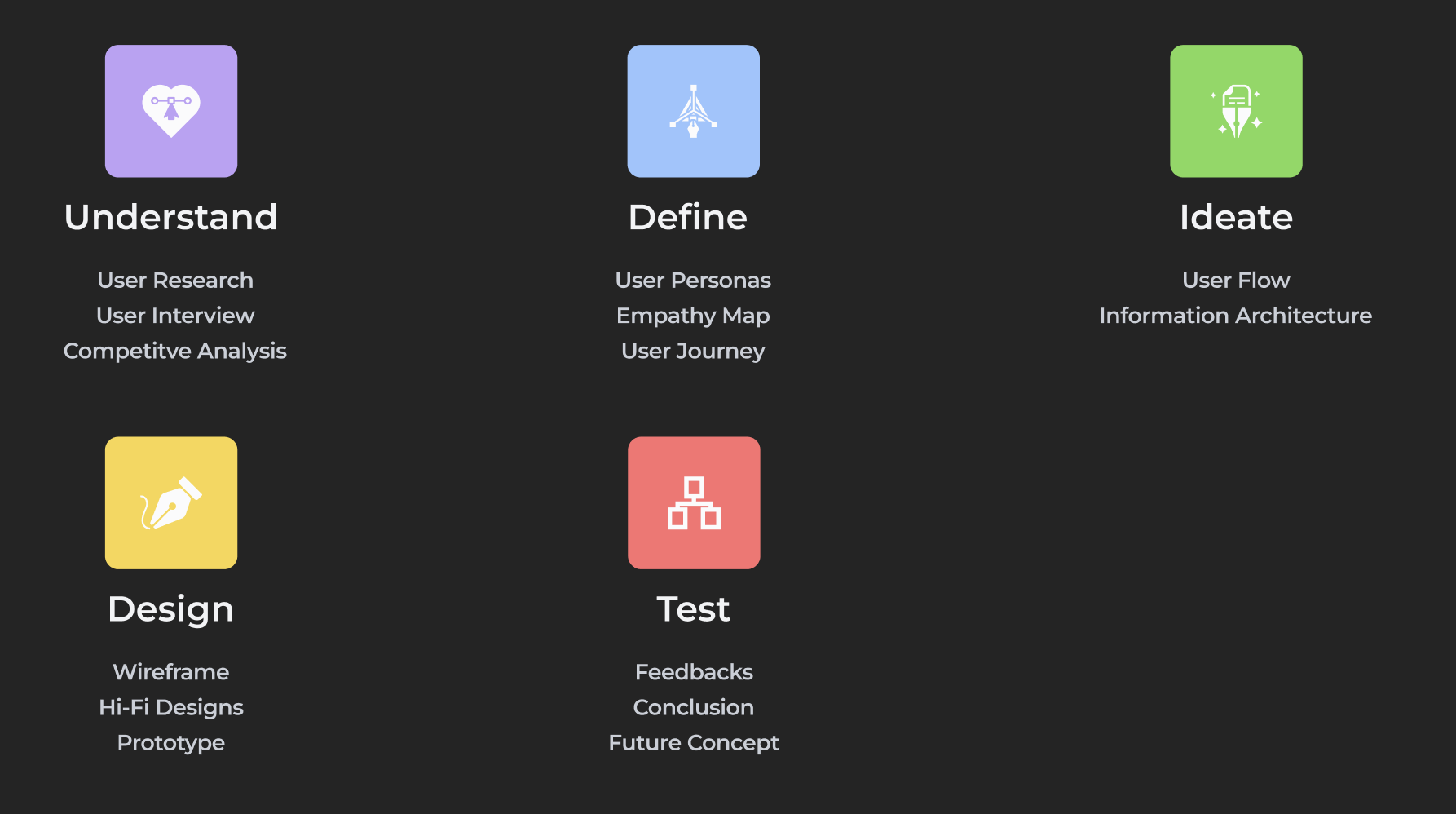
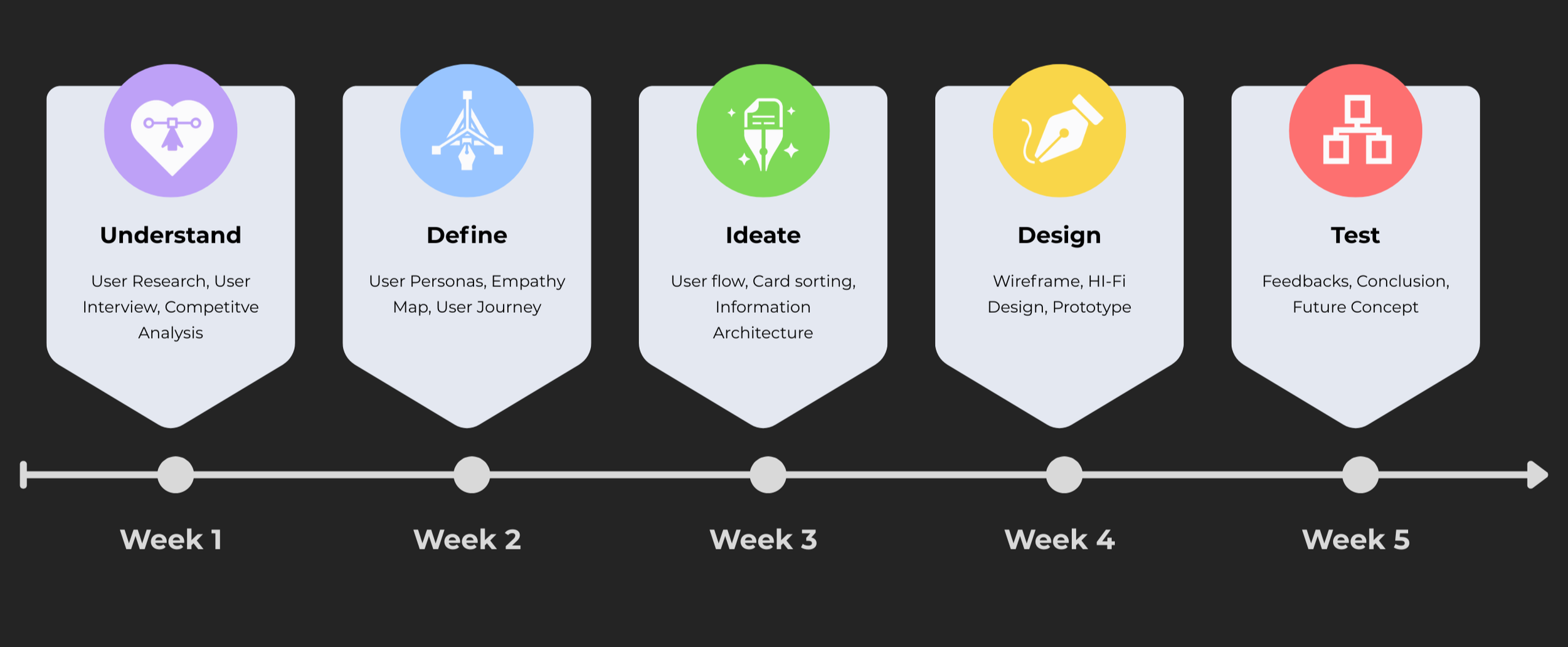
The design process began with User Research, a User Interview, and Competitive Analysis to better understand PCCS’s goals and user needs. In the Understand and Define phases, I created User Personas, an Empathy Map, and a User Journey to identify pain points and opportunities. During the Ideate phase, I developed a User Flow, conducted Card Sorting, and improved the site’s Information Architecture. In the Design phase, I created Wireframes, Hi-Fi Designs, and an interactive Prototype. Finally, in the Test phase, I gathered user Feedbacks to refine the experience, ending with a Conclusion and Future Concept recommendations for continued improvement.
—
Design Timeline
—
Target Audience
To create a more effective and user-centered website experience, it was important to first understand who PCCS serves and the needs of potential Direct Care applicants.
—

—
User Research
Through user research and audience analysis, I identified key motivations, pain points, behaviors, and goals that shaped how users interact with the careers experience and broader website. These insights helped guide design decisions throughout the project.
—
Competitive Analysis
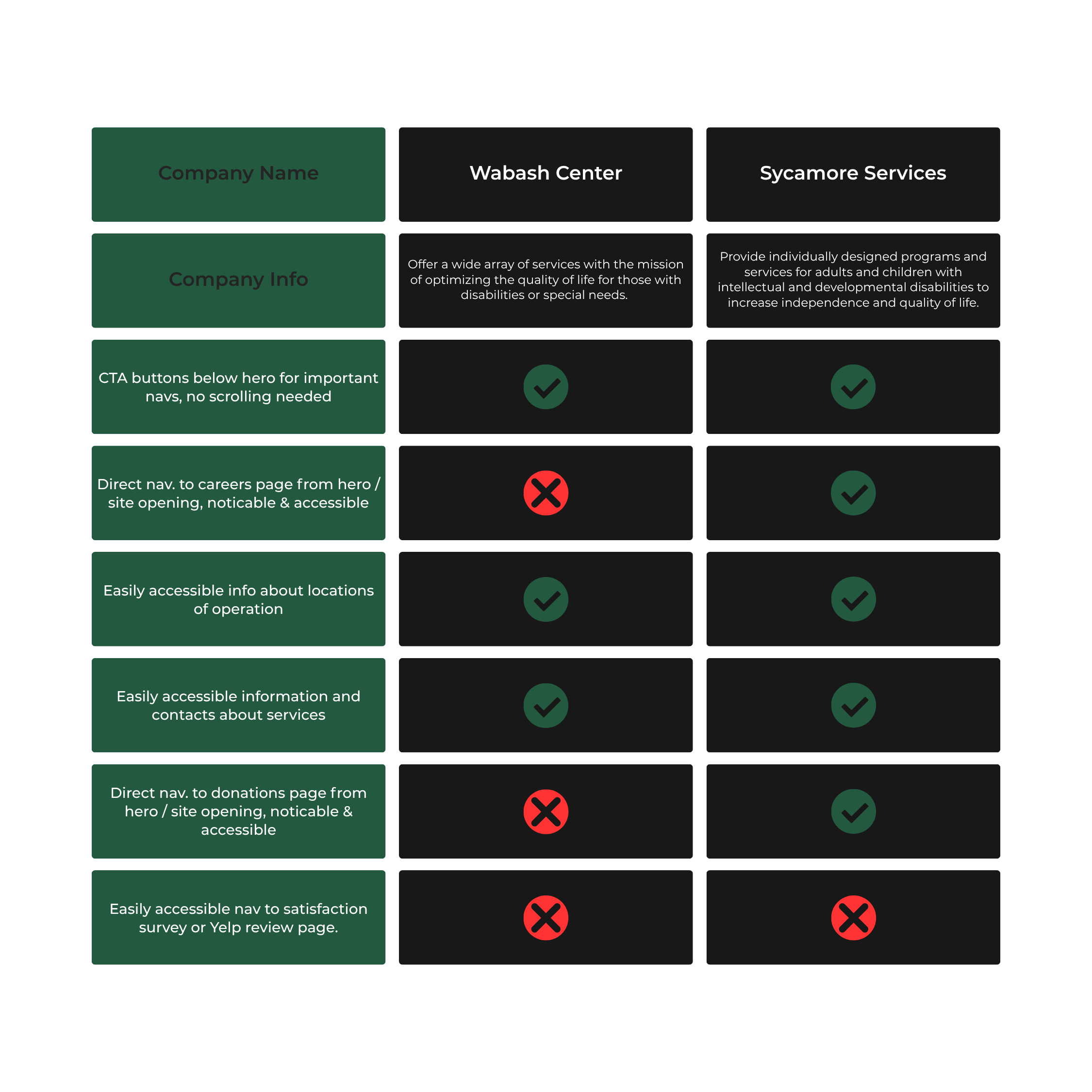
The competitive analysis focused on reviewing similar healthcare and Direct Care organization websites to identify strengths, weaknesses, and industry standards. This helped uncover opportunities to improve PCCS’s navigation, careers experience, content structure, and overall usability while creating a more modern and user-friendly interface.
Quantitative Research
—
Before beginning the redesign, quantitative data was analyzed to better understand how users were interacting with the existing website and careers experience. Metrics such as bounce rates, page engagement, navigation behavior, and application drop-off points helped identify usability issues and areas where users experienced friction.
Initial Observations
Navigation Success Rate: 40%
During initial usability testing, only 4 out of 10 users could find the application page within one minute.
Mobile vs. Desktop Traffic
40% of users accessed the website on mobile, highlighting the need for mobile and desktop accessible design.
Application Conversion Rate: 12%
During initial usability testing, only 12% of users who visited the careers page completed an application.
Application Abandonment Rate: 50%
About half of users dropped off before completing the online application form
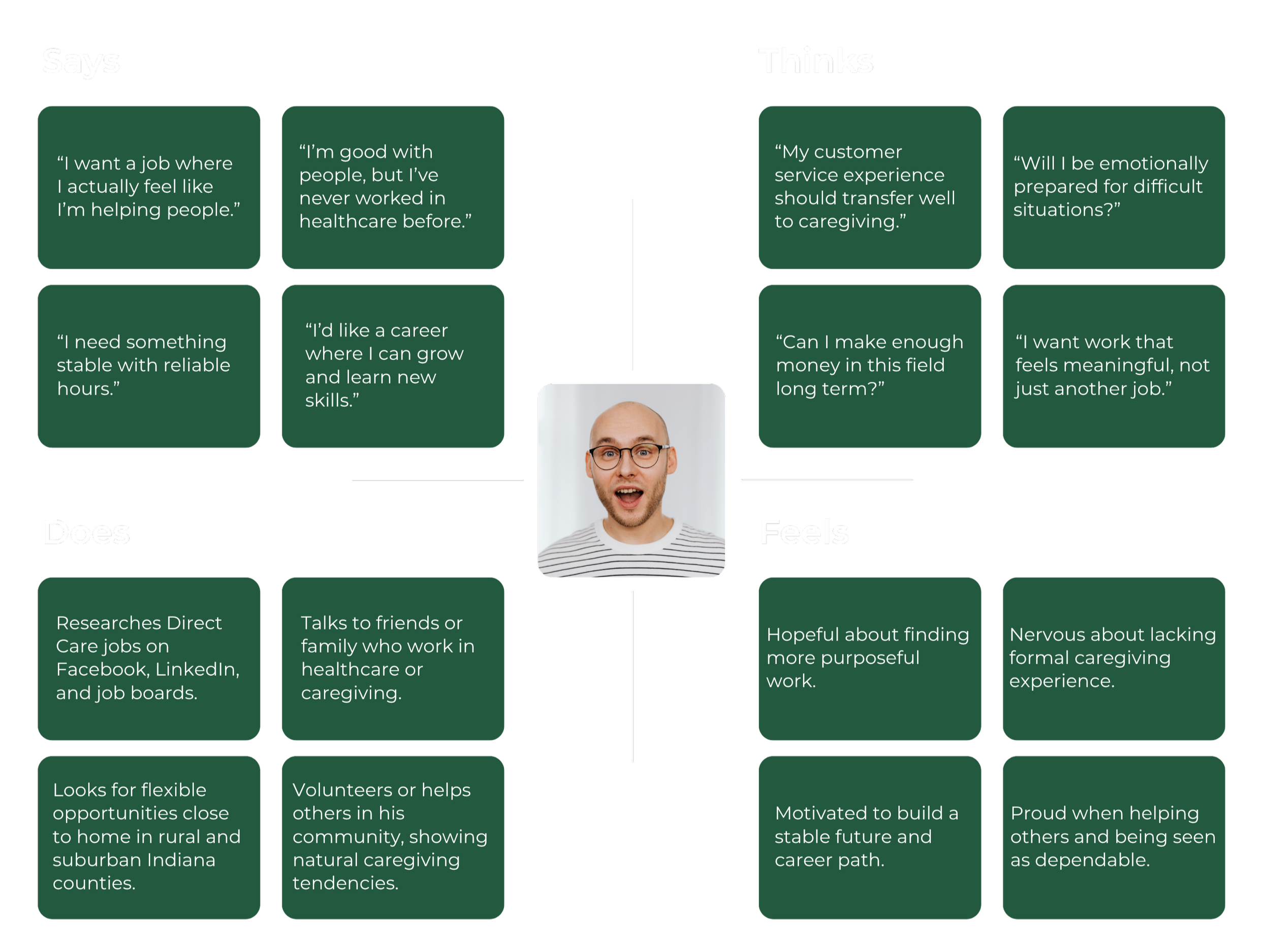
Empathy Map
—
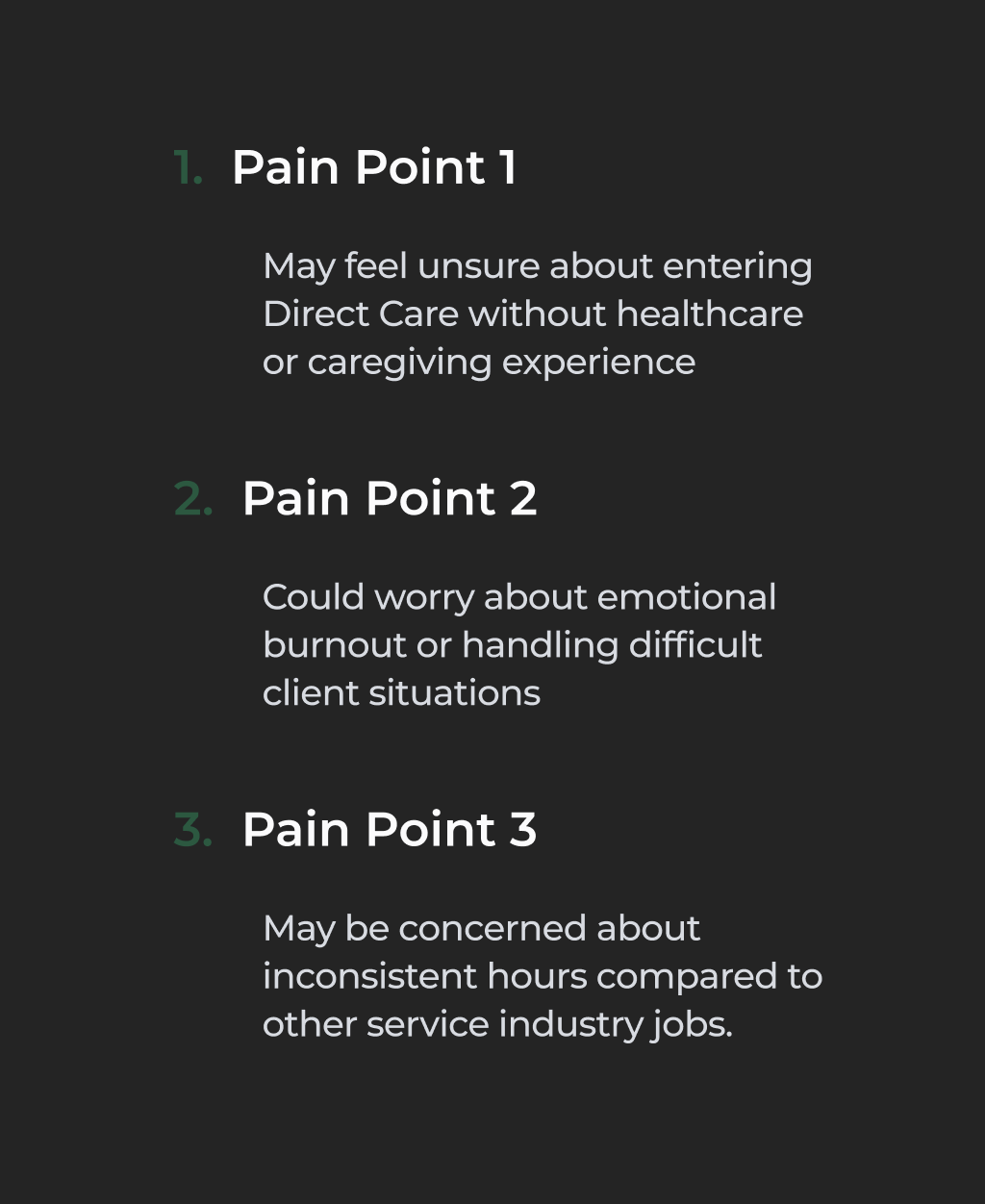
Pain Points
—
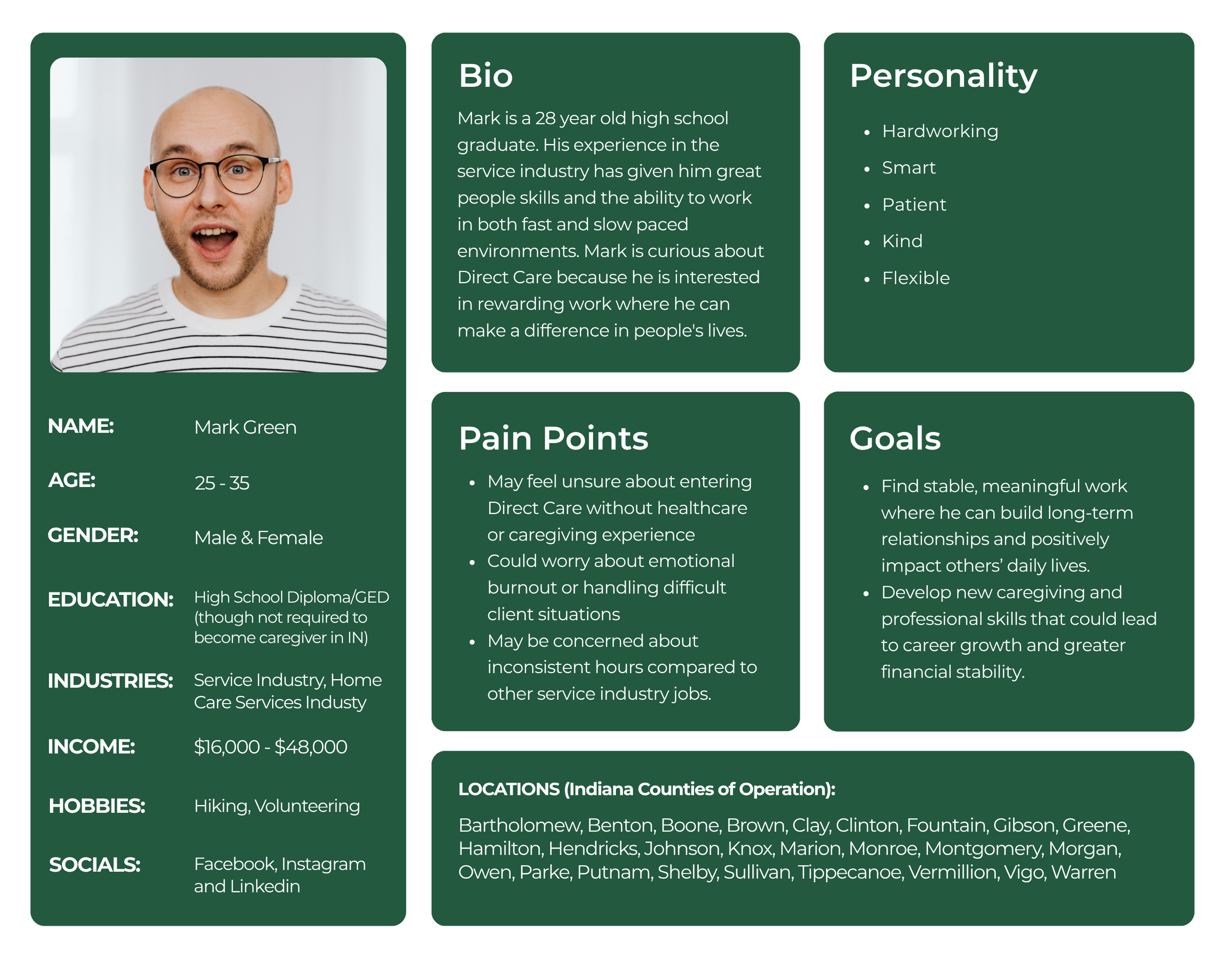
User Persona - Potential Direct Care Provider
—
User Journey Map
Persona: Potential Direct Care Provider
—
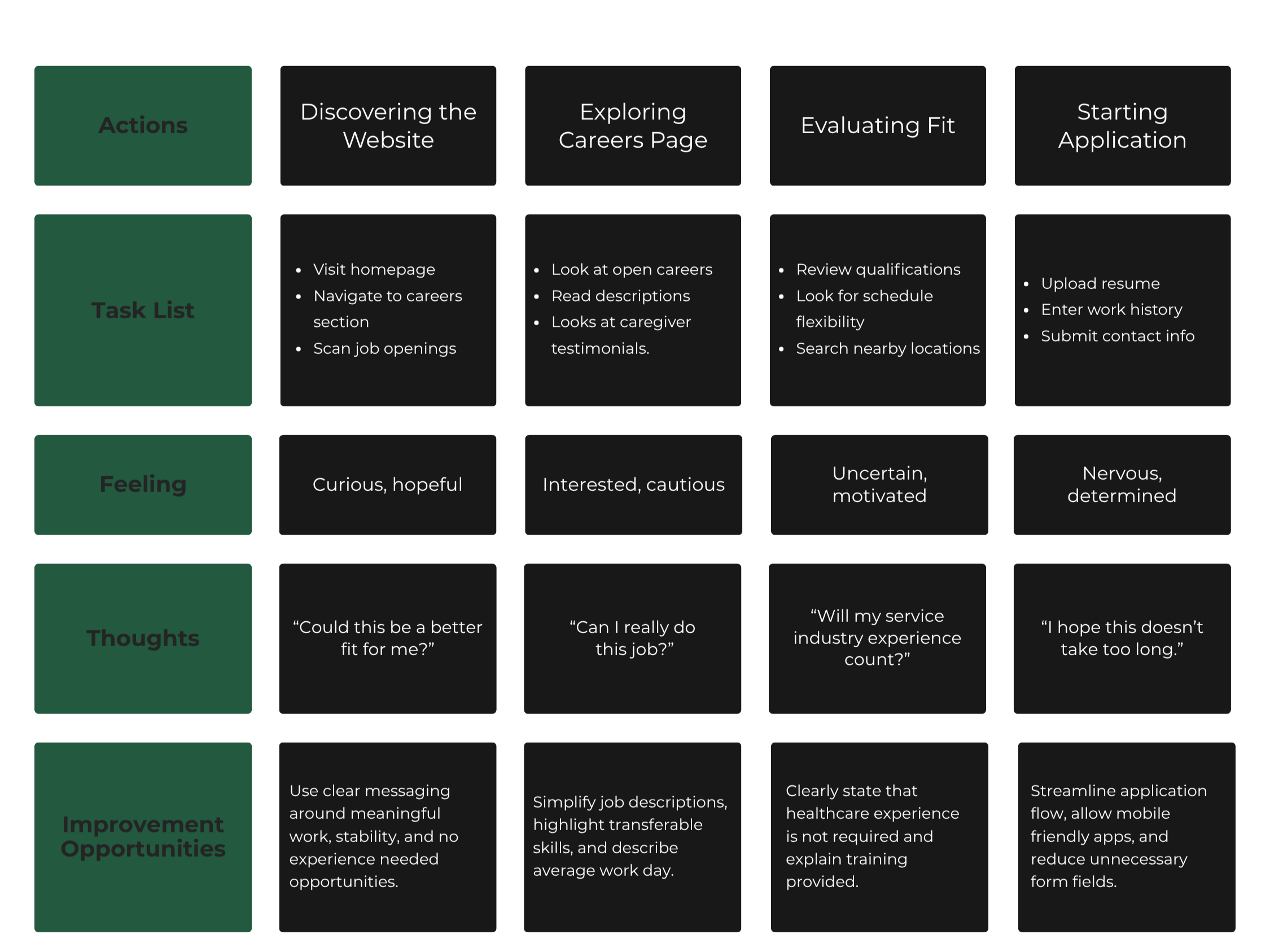
Goal: Discover PCCS and their mission, explore career options, learn about caretaker opportunities, apply.
Information Architecture/User Flow
—
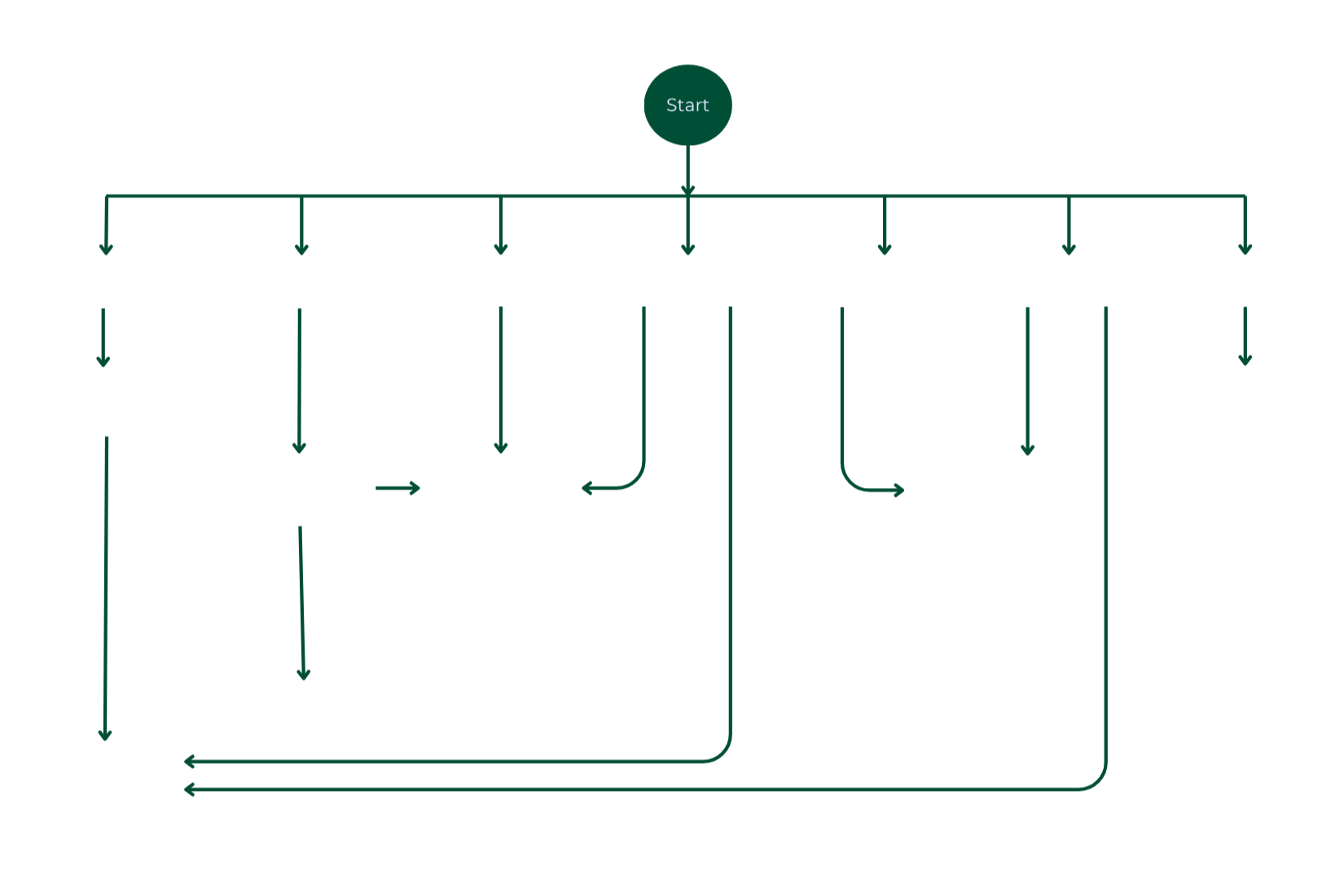
Low Fidelity Wireframes - Home Page & Hero
—
High Fidelity Screens
—
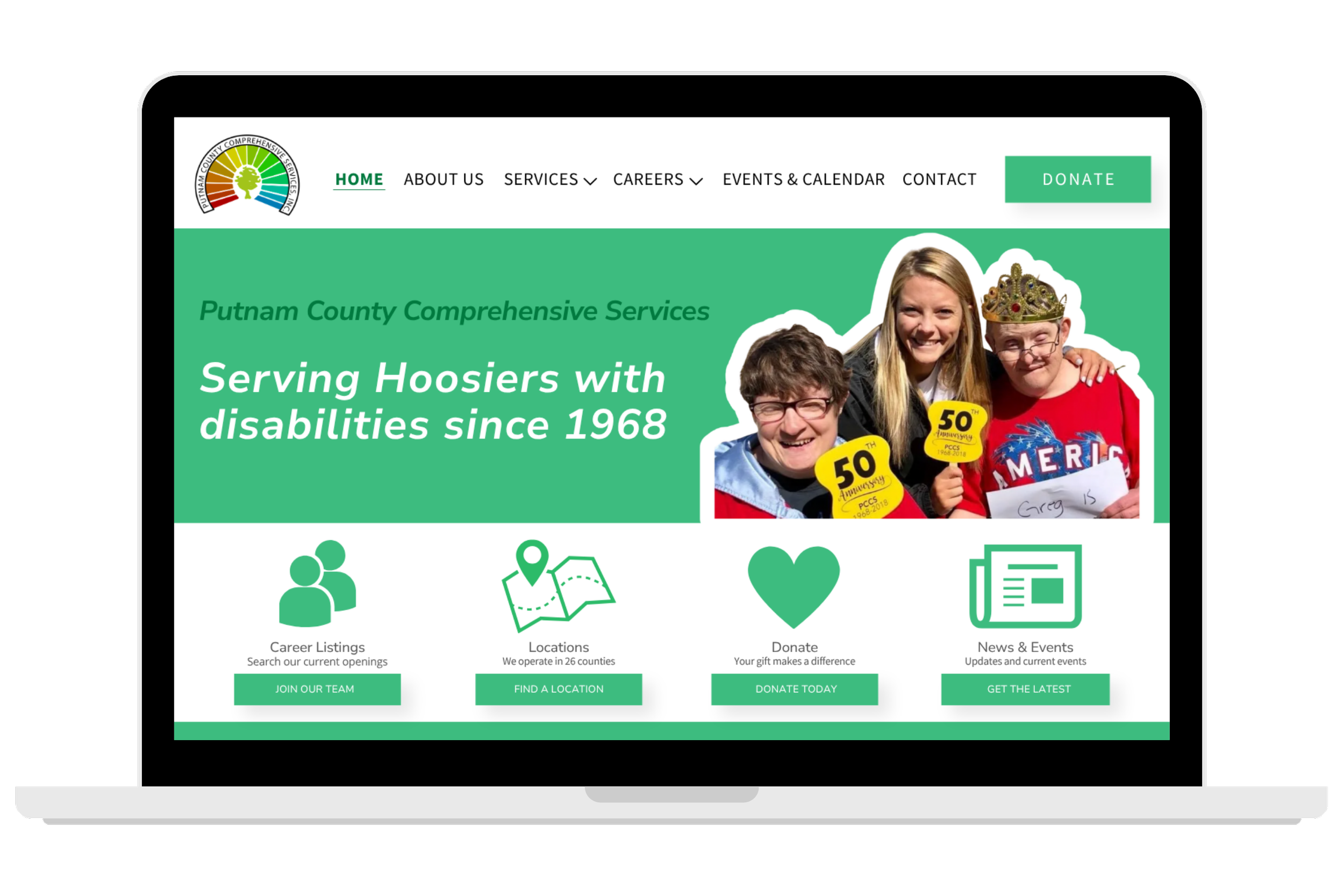
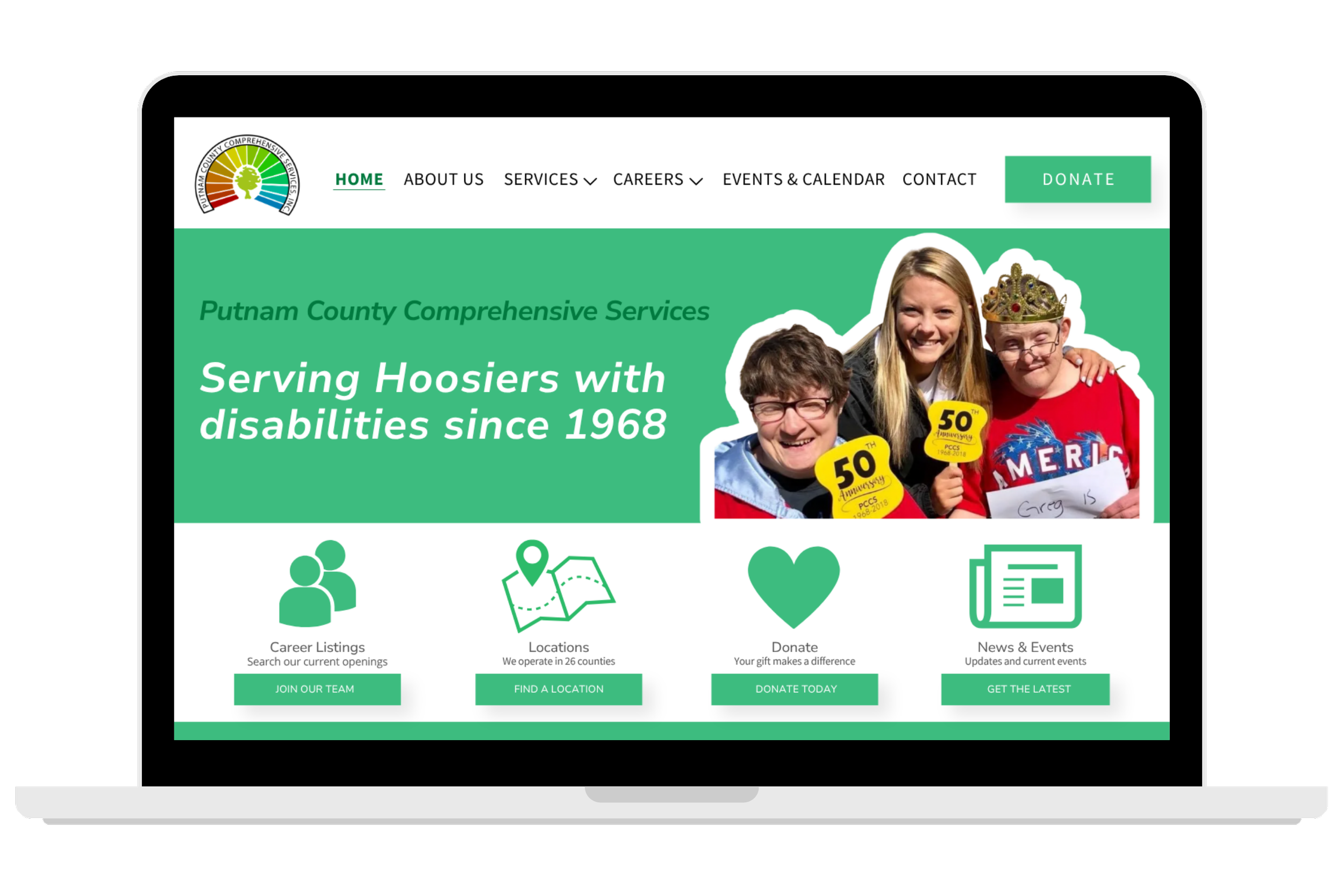
We decided to add the phrase “Serving Hoosiers with disabilities since 1968” to immediately establish the mission and history of the organization to establish credibility with the user.
——————————————
For the opening and hero section of the site, I chose to provide large nav sections of the four most visited or requested sites that users in the initial test look longer to find. I paired this with icons and a short description so users can be sure to identify them.
——————————————
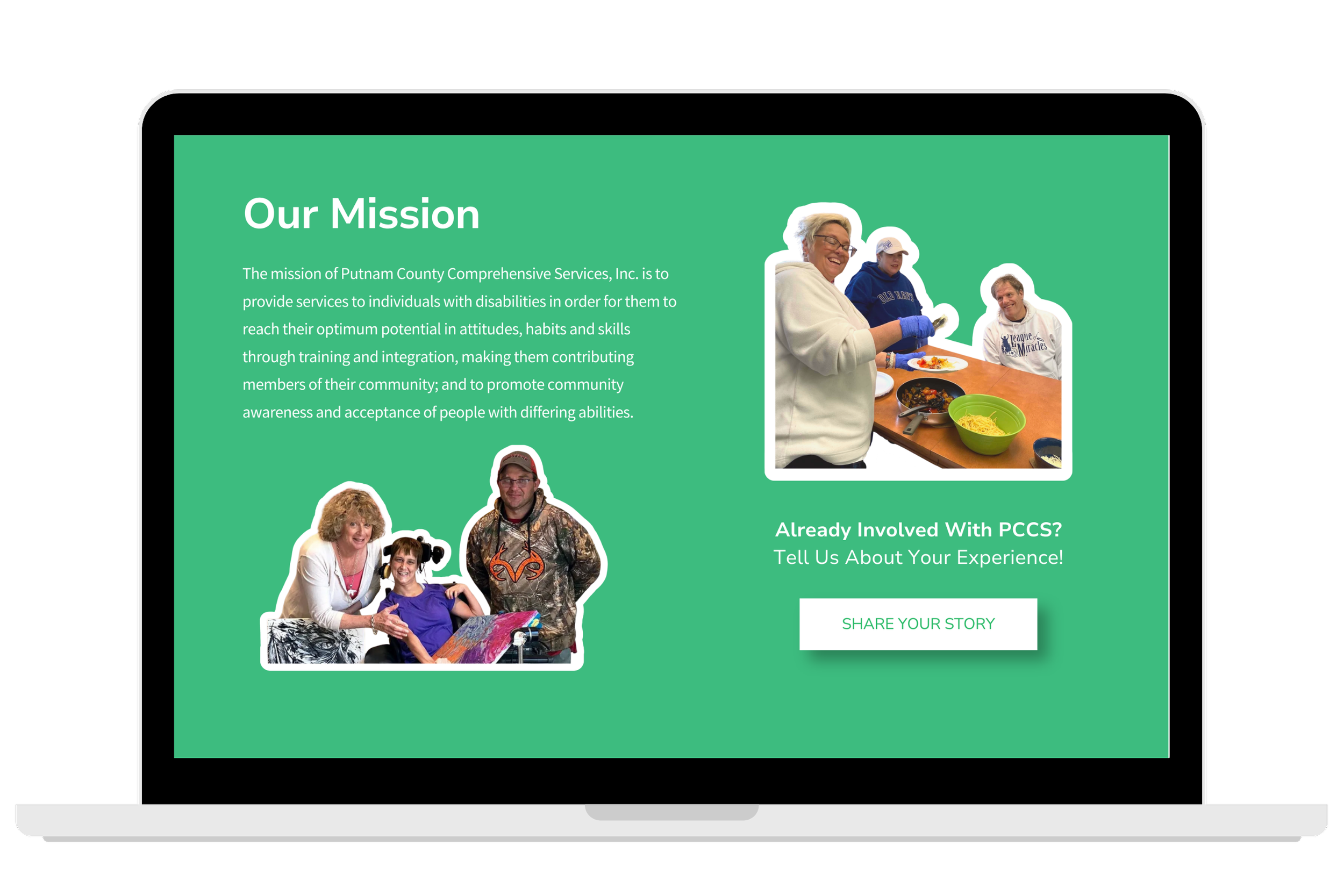
Under the hero section and nav, I added PCCS’s full mission statement. From our competitive analysis, we found that keeping the mission statement towards the top of the page was best practice.
In the right of this section, I also provided a link to the satisfaction survey for the organization.
——————————————
——————————————
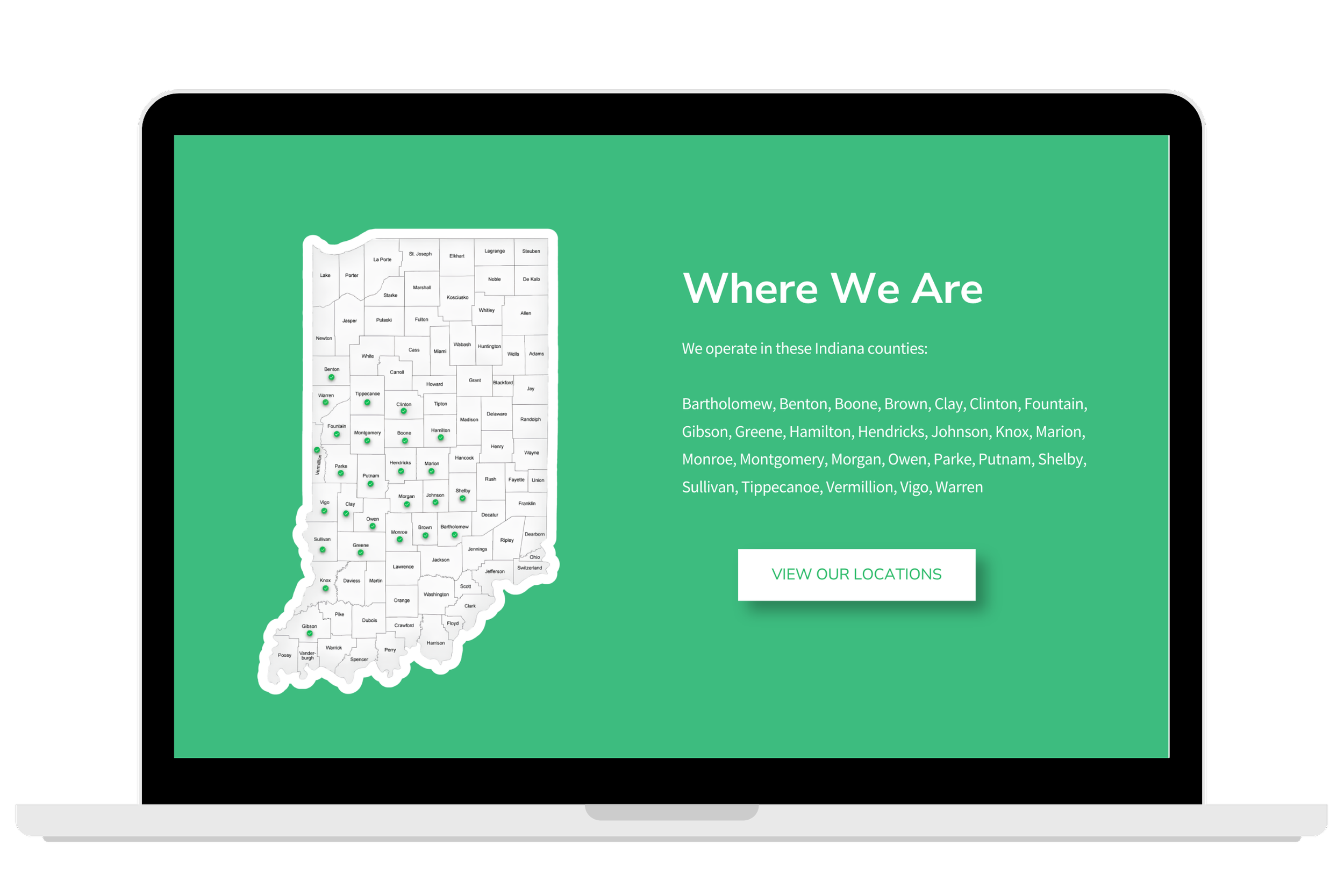
On the home page, I also included a section that specified all of the Indiana counties in which PCCS operates with a helpful graphic that was provided for me by the company.
I included an additional nav to the locations page in this section for users to easily look up specific addresses.
——————————————
——————————————
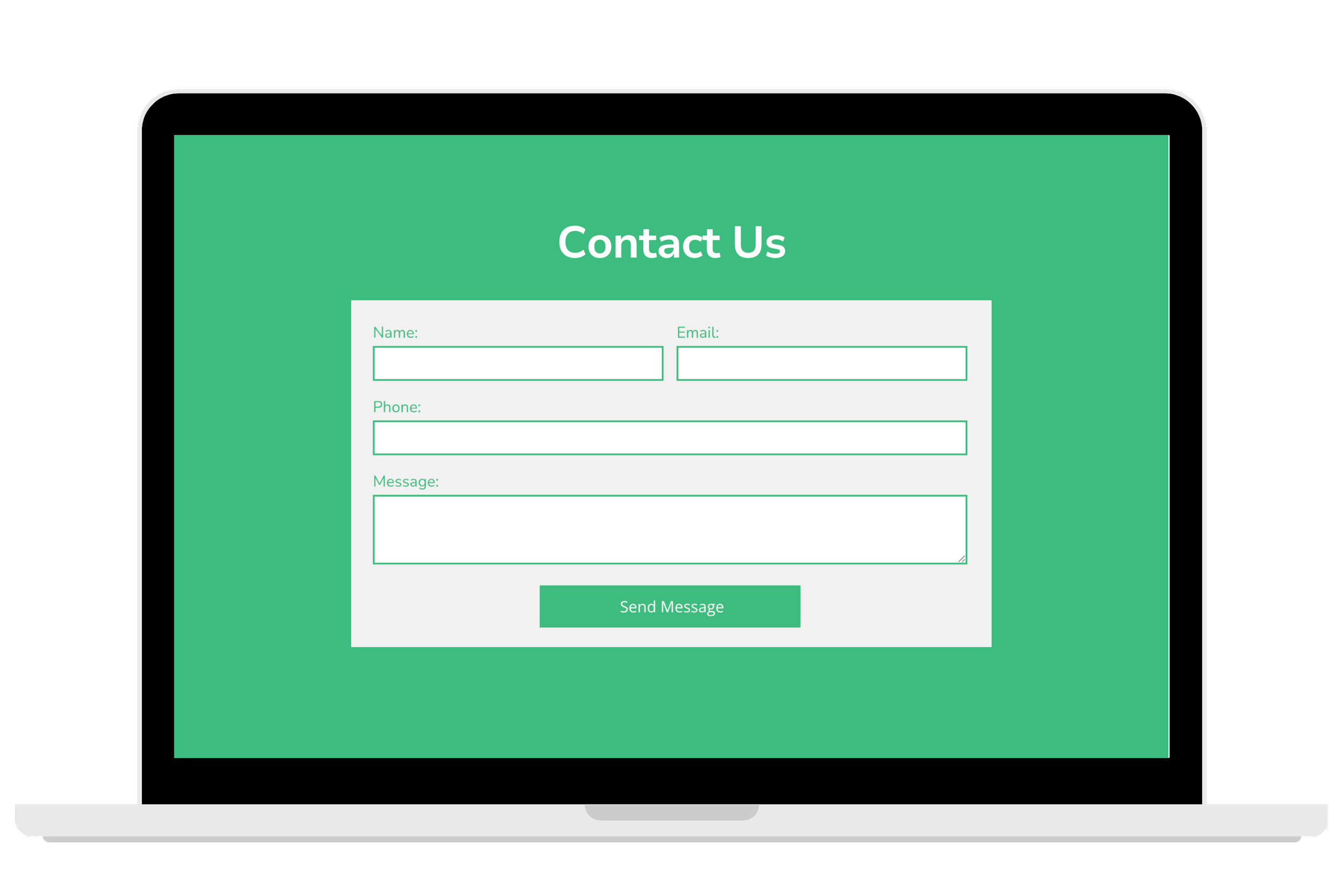
Another new element we decided to add to the front page was a contact form. This was done to streamline specific questions and service requests from users so they can be helped in a more timely manner.
——————————————
High Fidelity Wireframes - Home Page & Hero
—
Style Guide
—
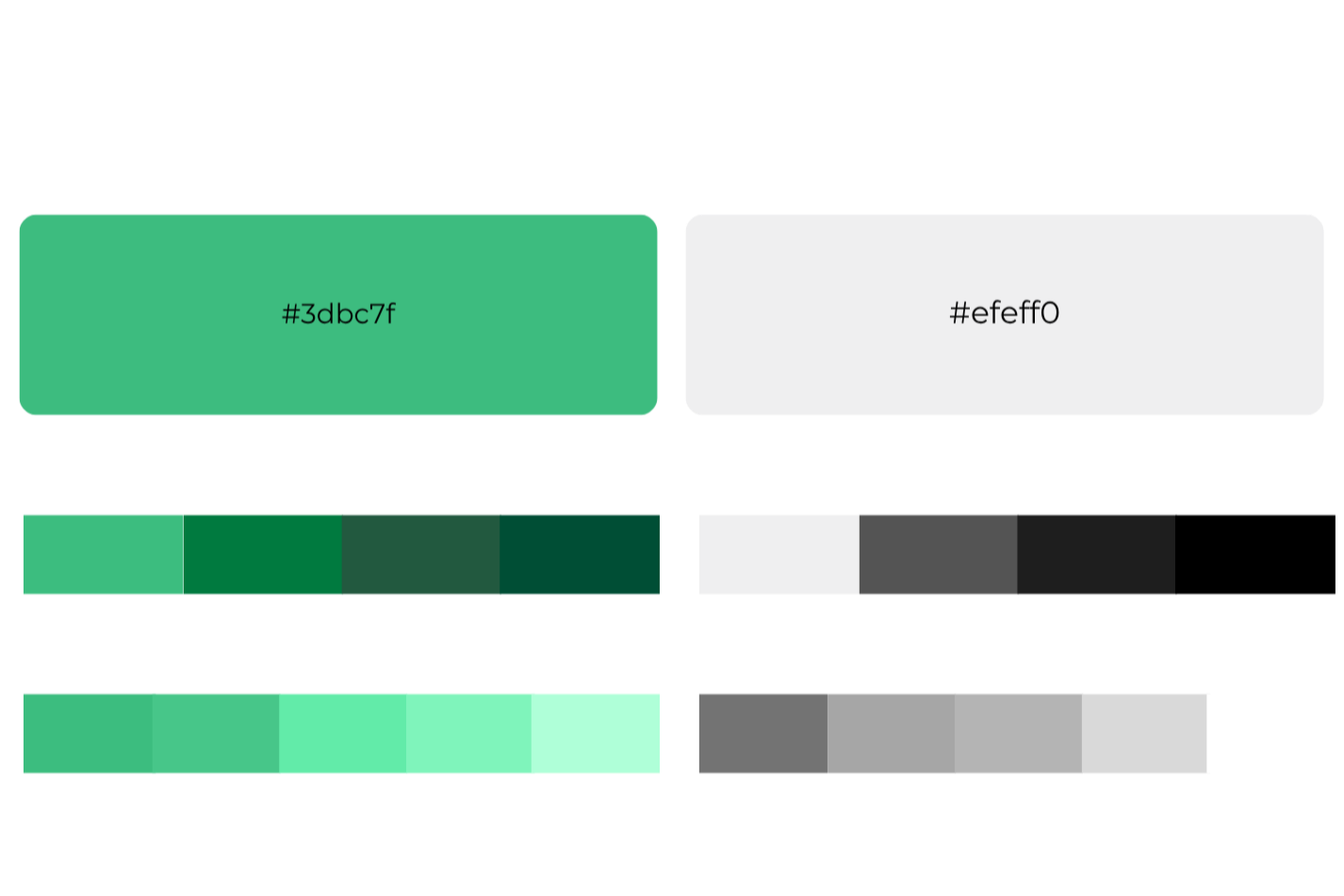
Color Palette
Iconography
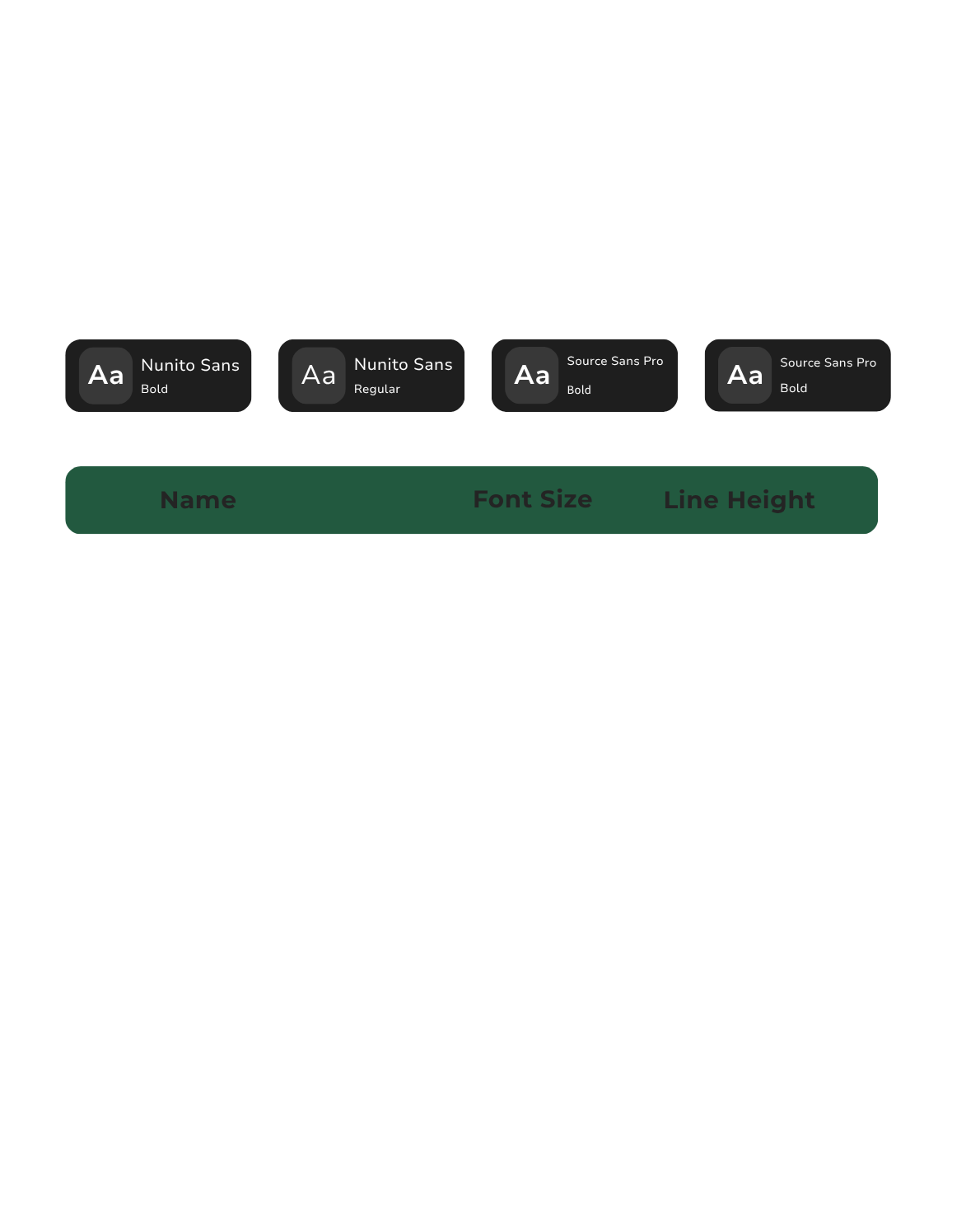
Typography
Key Takeaways
The primary issue was that users struggled to quickly find career information and job application links due to unclear navigation.
The existing website structure created unnecessary friction in the application journey, on desktop and mobile devices.
Outdated content and inconsistent visuals reduced trust and credibility with potential applicants.
Most users were primarily focused on pay, flexibility, training, and job stability when exploring career opportunities; these were noted as things to emphasize in job descriptions and recruitment marketing efforts.
Simplifying the information architecture and careers flow presented the biggest opportunity to improve user engagement and application conversions.
—
—
Roadmap
The project roadmap was created to organize the redesign process into clear, user-centered phases. Starting with research and discovery, the roadmap guided the transition into defining user needs, ideation, information architecture improvements, wireframing, visual design, prototyping, and usability testing. This structured approach ensured that each design decision was informed by research insights and aligned with both user goals and PCCS’s recruitment objectives.